
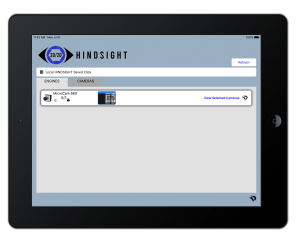
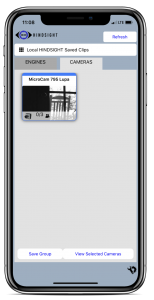
The 20/20 Hindsight Connect App is designed to make our high-speed industrial cameras easier and faster to use. It brings multiple 2020CAM feeds together on one screen, giving you simple controls for live viewing, capture, and playback. With support for Windows, iOS, and Android, Connect keeps your entire system accessible from any device your team uses.
Features
Intuitive Playback Control
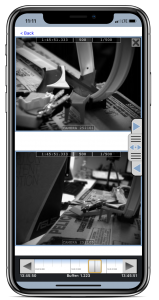
The Hindsight Connect AccuStep control allows fixed and variable speed playback as well as frame-by-frame analysis. Easily create short video clips of the critical footage for archive and further analysis.
- Drag the Cursor for Coarse Playback in the Video Buffer
- Variable Speed Playback with Thumb Dragging
- Frame-by-Frame Playback With Arrow Tapping
Add Clip Comments
Add comments to clips for easy identification and storage
Create Video Clips
Just like the Hindsight Connect app provides controls for making clips and editing clips after they’re made. Simply move the cursor to your desired spot in the buffer and press Make Clip. You can also make a custom length clip by moving the cursor and choosing a clip Begin time and End time
Remote Lens Control
If your camera has a remote control lens, use the Connect app to adjust zoom, focus, and iris to capture the best picture possible. All these controls are part of the interface making it easy to setup and dial in your system for instant results.
Exporting and Sharing Clips
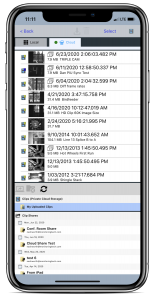
The Connect app allows you to download clips from the camera and store them offline on your Windows laptop or desktop, iPhone or iPad, or Android device. Once downloaded to the device, the clips can then be saved directly to the device Photo Library for easy uploading and sharing in the MP4 video format.
- Download Clips from Camera to App
- Save Clips from App to Device Photo Library for Easy Sharing
Note: The Connect app also supports importing Pack-n-Go clips packages for viewing. The Connect App replaces the Hindsight Clip Viewer which is no longer supported or maintained.
For importing clips from a Pack-N-Go Clips Package, or for viewing your MicroCAM or 2020CAM Engine version 5.0 or above, download the Hindsight Connect App:
Connect supports MicroCAMs and Engines version 5.0 and up. For versions 3.0 or 4.0, please see the 20/20 Hindsight Viewer page.
Windows 10 – Download from Microsoft Store

iPad/iPhone – Download from Apple App Store

Android – Download from Google Play

If you’re not sure which version you need, please contact support for assistance.